Free and open source

The Git client that keeps up with you.

GitChrono gives you a colorful commit graph, line-by-line staging and instant diffs — in a native app that opens huge repositories in seconds.

macOS · Windows · Linux — free
GitChrono with repository tabs, a colorful commit graph, commit details and the built-in terminal
85,767commits of git.git loaded in ~2.8 s
80 msto lay out the full graph
<1%CPU in the background, even during builds
Features

Everything you reach for, every day.

The visual Git workflow you know, rebuilt from scratch as a native app with nothing in between you and your repository.

A graph you can read

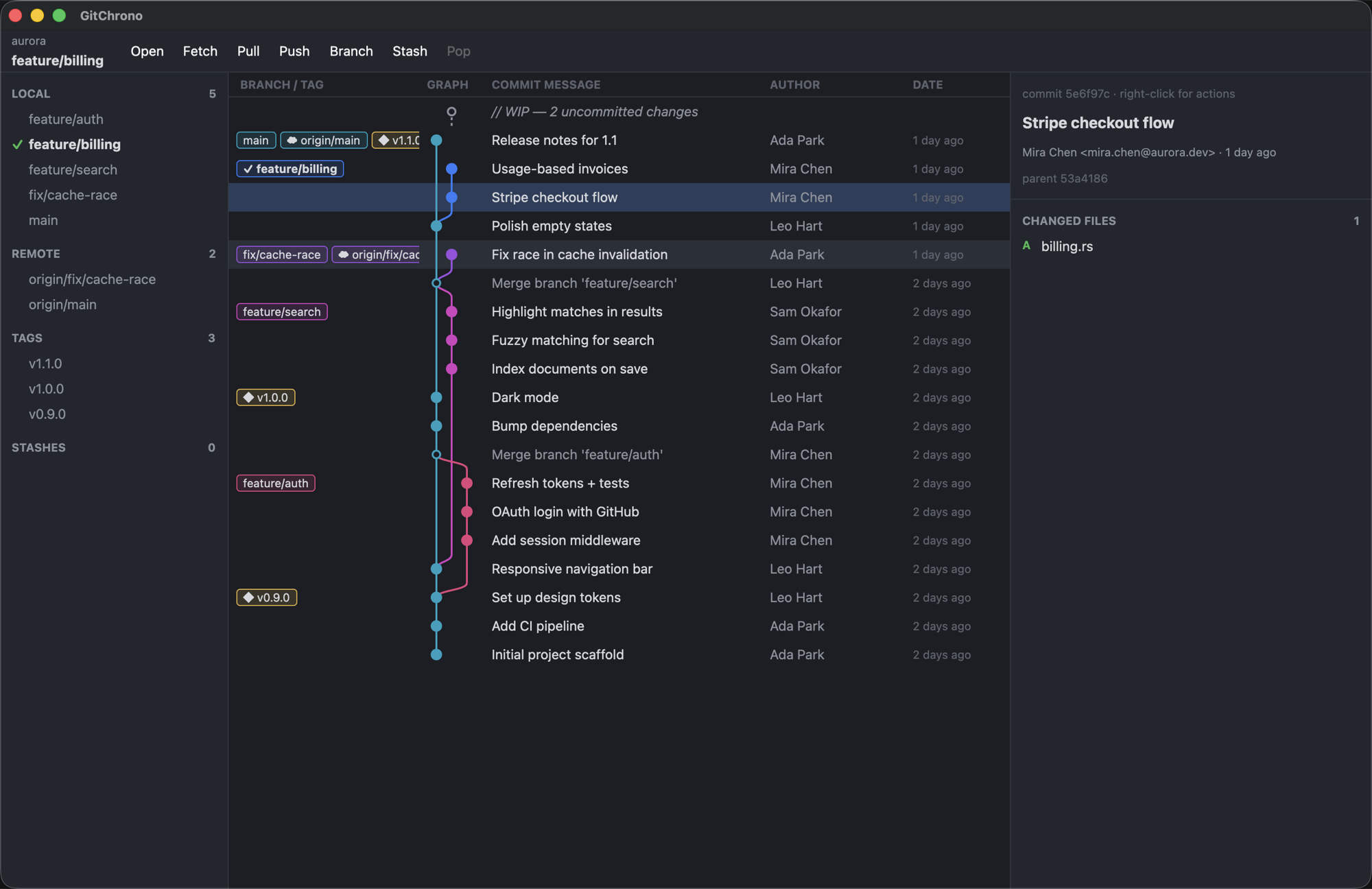
Every branch, tag and stash in one colorful graph, newest first — with your current branch and uncommitted work right on top.

Stage lines, not just files

Pick the exact lines you want, or whole blocks of changes, or several files at once. Clean commits without touching the terminal.

Native speed

A true desktop app, not a website in a wrapper. Repositories with a hundred thousand commits open in seconds and scroll smoothly.

Right-click anything

Checkout, branch, tag, merge, rebase, cherry-pick, revert and reset straight from the graph, the sidebar or the file list.

Always up to date

Edit in your editor, commit in the terminal — GitChrono notices instantly, and stays quiet while it's in the background.

Behaves exactly like git

Uses the git you already have, so your SSH keys, passwords and signing just work. Settings sets up your name, email and SSH keys for you.

Tabs and project folders

A tab per repository, restored on launch. Add a parent folder once and every repository inside it is one click away.

Built-in terminal

A real shell in every repository, with colors, completion and selection. Open as many as you like with ⌥T.

Palette and search

⌘P runs any action, checks out any branch or opens any repository. ⌘F searches history by message, author or commit ID.

Undo anything

Commit, reset, rebase, checkout, branch or tag: ⌘Z takes it back without ever overwriting your uncommitted work.

Rebase, resolve, blame

Reorder, squash and reword commits, resolve conflicts side by side, and follow any file through history and blame.

AI commit messages

One click writes a commit message in your repository's style, or explains what any commit does, using your own OpenAI, Anthropic, Mistral, Gemini or local model.
How it works

Fast where it matters, faithful everywhere else.

  • 1
    Reads your history directlyCommits and branches are read straight from the repository on your disk, so even huge histories show up in seconds.
  • 2
    Changes go through your gitCommit, push, rebase and stash use the git already on your computer, so every repository behaves exactly like it does in the terminal.
  • 3
    Smooth at any sizeOnly what's on screen gets drawn, so scrolling stays smooth whether you have a hundred commits or a hundred thousand.
// You click Commit in GitChrono…
git commit -m "Stripe checkout flow"

// …your own git does the work:
✓ your hooks run
✓ your key signs the commit
✓ same result as the terminal

// Staging a few lines works the same way:
git apply --cached # just the lines you picked
Download

Get GitChrono.

Free for personal and commercial use. Uses git 2.40 or newer (included on Windows). Install steps and requirements.

Builds are published on GitHub Releases.
Open-core

Free at its core. AI when you want it.

GitChrono

Free and open source
  • Commit graph and diffs
  • Stage single lines, blocks or many files at once
  • Branches, tags, stashes, merge & rebase
  • Every platform, no account required

GitChrono AI Own key: available · Credits: soon

Pay as you go — or bring your own key
  • AI commit messages, branch names and explanations
  • Split messy changes into clean commits
  • Release notes from any tag range
  • Prepaid credits at near cost, no subscription
  • Or use your own OpenAI, Anthropic, Mistral or local Ollama key
FAQ

Questions, answered.

Is GitChrono free?

Yes. The Git client is free and open source under the Apache-2.0 licence. Optional AI features work with your own API key, or with prepaid credits later.

Why another Git client?

GitChrono is a real desktop app, not a web page in a wrapper: it opens huge repositories in seconds, stays light on memory and battery, and works without an account.

Which platforms are supported?

macOS (Apple Silicon and Intel), Windows 64-bit and Linux (x86_64 and ARM64).

Does GitChrono upload my code?

No. It works locally with your own git. AI features only send the changes involved, trimmed and with passwords and keys removed, to the provider you choose, and only when you click an AI button.

Is it stable?

GitChrono is in alpha: use it at your own risk. Keep a pushed remote or a backup of repositories you can't afford to lose.